When it comes to making backups, the simpler and more intelligent the better in my book. SmartBackup therefore impresses as a surprisingly simple and clever tool to make automatic backups of files on your Mac.
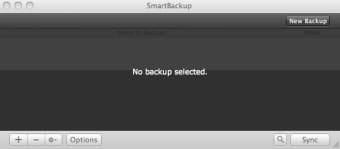
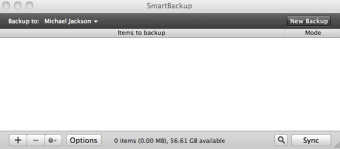
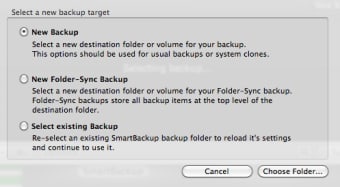
SmartBackup offers a clear interface from which you can schedule and launch bootable backups of your drive. Alternatively, you can backup specific files and folders manually at any time. You can choose your target whether it be an external hard drive, USB stick, iPod, iPhone or even send files via Airport. For auto-backups, SmartBackup integrates with Automator, iCal and Keychain making it easy to schedule and protect backups.
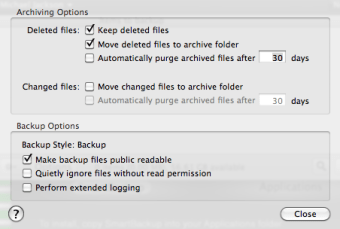
The most outstanding feature of SmartBackup is the way it uses Spotlight to perform backups. You can for example specify SmartBackup to backup only iPhoto when new photos are added. It automatically kick into actions when Spotlight indexes new images that are added. You can even make SmartBackup save all of your deleted files so that if you realize you deleted something by accident a while back, you can still recover it.
SmartBackup is an intelligent and effective way to ensure that your files and folders are backed-up at all times.
Changes
Lion support
Improves persistence of backup settings
Fixes an issue with modification date on exotic filesystems
Fixes an issue with size evaluation and smart excludes
Pros
Integrates with Automator, iCal and Spotlight
Highly customisable
Easy to use
One click restore
Cons
May not be 100% reliable when backing up to network drives
If you are looking for a fast and straightforward tool for your backups, SmartBackup is perfect for you. No matter if you want to create full bootable backups or just set up a few important items for a small efficient network backup, SmartBackup makes it very easy.
SmartBackup uses its own built in optimized sync engine to determine which items have changed since your last backup. During each backup only those items are copied. SmartBackups sync engine also handles preserving of MacOSX specific metadata or archiving of changed or deleted files for you in a fast an efficient way. SmartBackup supports backups to external harddisks, iPods, or network shares.
You do not have to know where Mail, iCal, iWeb etc. store their files. SmartBackup knows it for you and offers several useful presets.
With SmartBackup you can use Spotlights "Saved Searches" as backup items. That way files found by that searches can be backed up or excluded. Telling SmartBackup to "backup all files changed during the last week", "backup only purchased music out of the iTunes library" or "exclude all files with a red label", is just one click.
SmartBackup supports backing up to any kind of harddisk, partition or network sharepoint. It is usable with your external harddisk, iPod, USB stick, iDisk, AFP, NFS, SMB, WebDAV, Airport Extreme or other network disks.
Laws concerning the use of this software vary from country to country. We do not encourage or condone the use of this program if it is in violation of these laws. Softonic may receive a referral fee if you click or buy any of the products featured here.